
 Facebook
 X
X
 Linkedin
There are many ways to edit content in Adobe Experience Manager (AEM).
During the last few years, while some promoted a new publishing concept called ‘headless CMS’, Adobe introduced a few new tricks in AEM to fulfil the needs of the headless community, Content Fragments and Experience Fragments.
As they might still be seldomly used and are not self-explanatory, we will explain their differences and give you an idea of how to use them in your next project.
The rise of new content format per channel
Traditionally, most editing of content happens directly in Adobe Experience Manager (AEM) on a so-called page that relates more or less 1:1 to a page on a website: you drag and drop images from the DAM onto a page, add components and type (or copy/paste) text.
That’s how a web page was edited 20 years ago, and still is today, right?
Riiiight. Except, you shouldn’t. Over the last few years, more and more channels appeared, such as mobile apps, social media, email newsletters and so on, that could – and should – benefit from content written for the website.
Of course, content shall not be reused 1:1 – it has to be adapted to fit the needs of each channel: you cannot tweet a multi-page in-depth article.
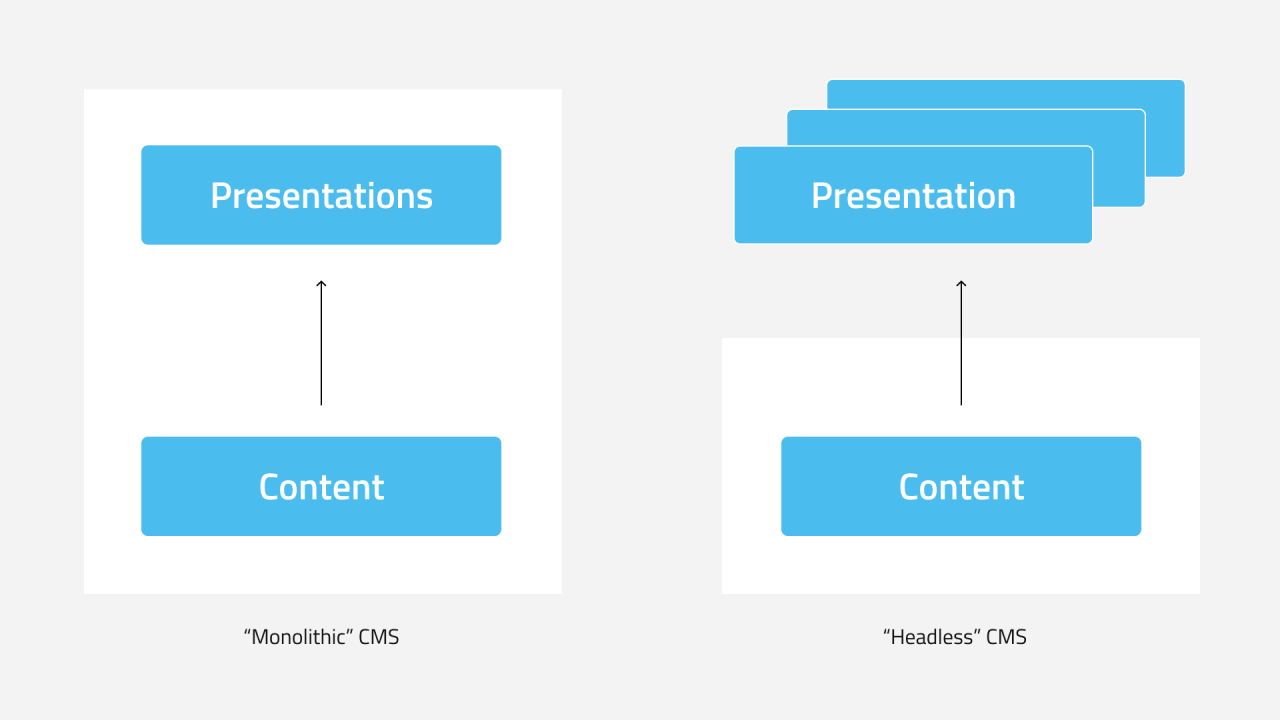
Some CMS approach this by strictly separating the content from the presentation (the opposite of what traditional ‘monolithic’ CMS like older versions of AEM do) and some forget about the presentation part entirely and call it ‘headless’ CMS [link to headless article].
Adobe did not jump onto the headless bandwagon but provided means to separate content from the page-oriented management: they allowed their users to store texts and entire components in the DAM as has been possible for images for many years.
Basically, one can store two different kinds of content containers in the DAM: Content Fragments and Experience Fragments.
Experience Fragments are just a few components that belong together
Let’s explain what an Experience Fragment is first.
Imagine the website of a travel magazine. It features different variants of teasers that promote an interesting article.
These teasers all have the same elements – a title, an image, a short text and the link to the article page – although they might look completely different depending on where they are used: on the front page, in a sidebar, or even as part of an email newsletter.
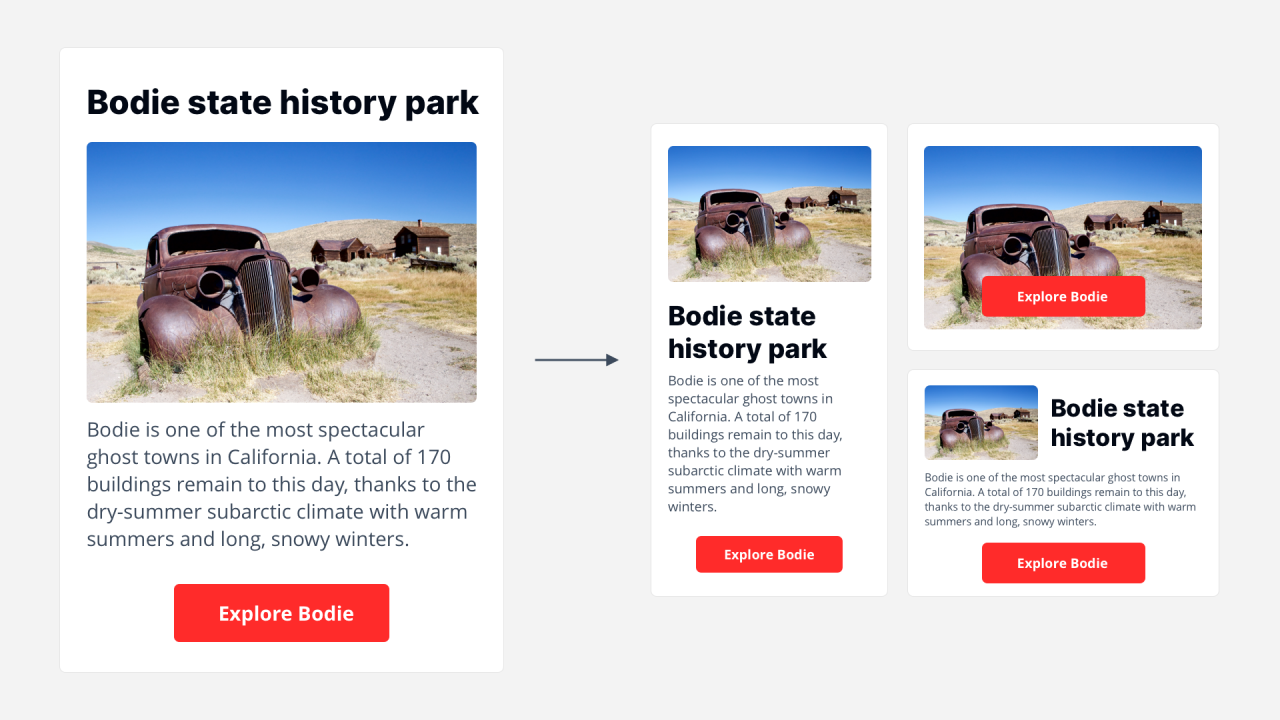
Such a teaser can be stored as an Experience Fragment and used in many places throughout the website or other channels.
Variations that serve the requirements of the different channels can be created, for example with a smaller image or less text.
An Experience Fragment is a bit of content that belongs together and has a specific look and feel. It’s some components stored together, that can be reused anywhere on your site and in different channels.
Content Fragments are structured data
Content Fragments, on the other hand, are just what the name implies. They are fragments of content only – without the look and feel.
Even more, Content Fragments are structured content based on a content model.
In the AEM backend, an information architect creates a content model using the Content Model Editor by defining the different parts (attributes) of the content model, basically what type of content is allowed in the Content Fragment.
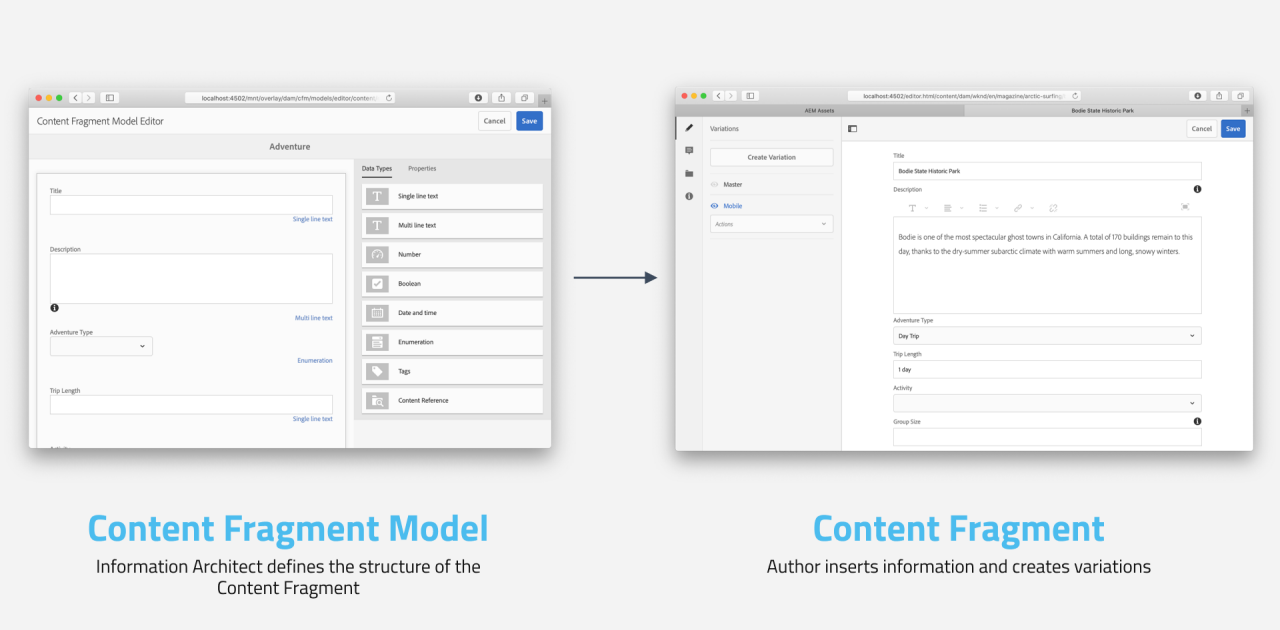
For example, an author’s bio on the website could be modeled as a Content Fragment. It contains the first name, last name, email address, a headshot and a small bio text: this is the content model definition of the Content Fragment.
Once a content fragment model has been defined, an author can create as many Content Fragments as they like: first name is Michael, last name is Grob, and so on.
Content Fragments store data, but no information about the look and feel.
For different use cases, variations of Content Fragments can be created that have the same structure, but different content – for example, the main text of an article (an article could be modeled as a Content Fragment too) might be longer or shorter, depending on the channel it is used in.